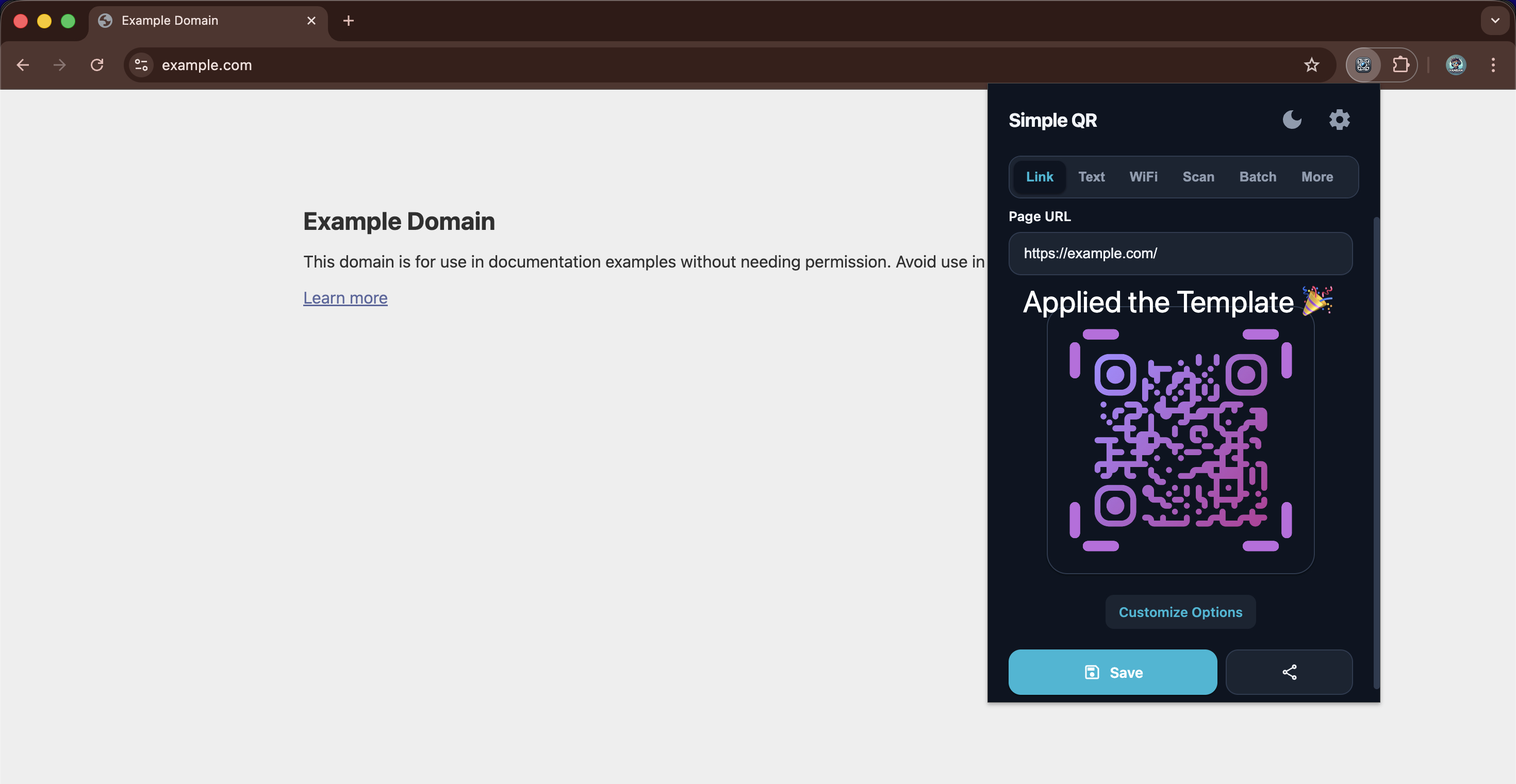
How to Import Templates
Importing custom designs into Simple QR Code Generator is incredibly fast. Follow these simple steps.
1
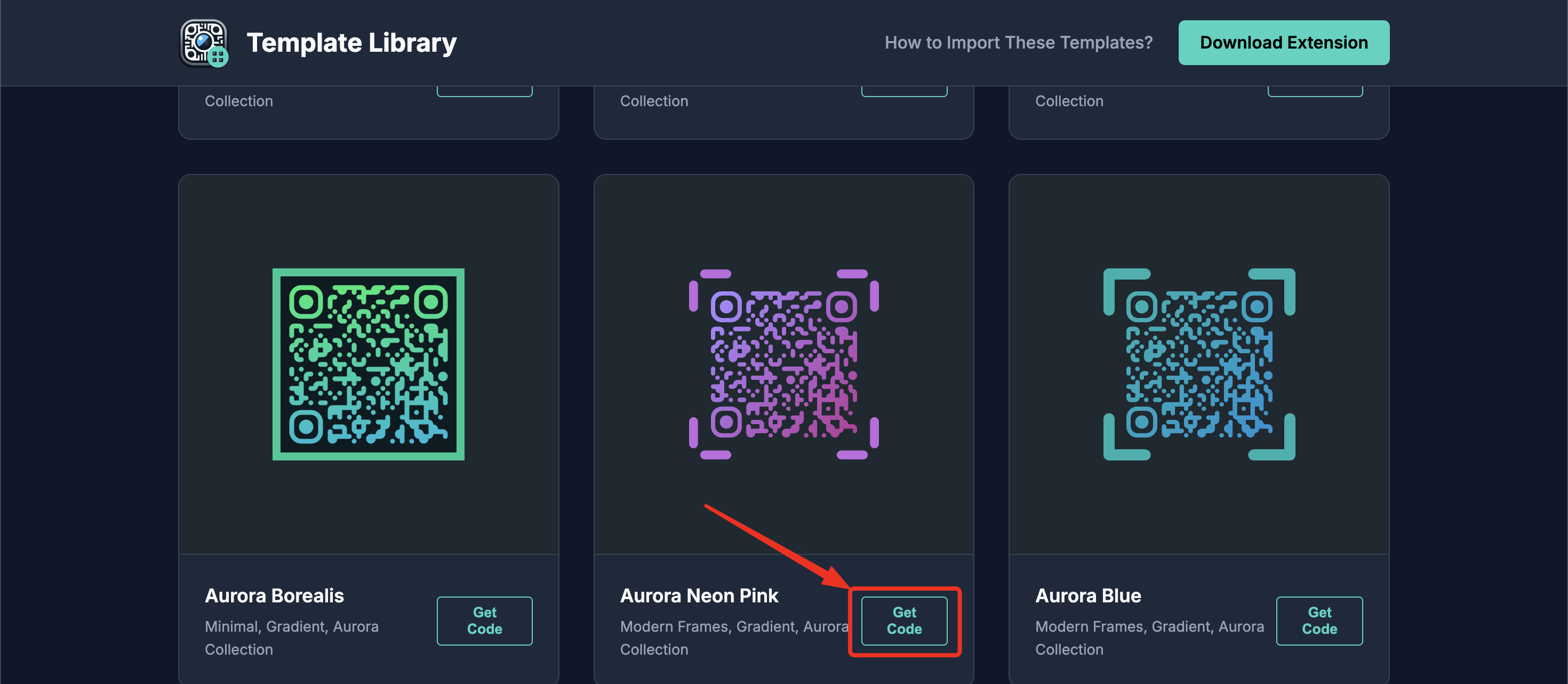
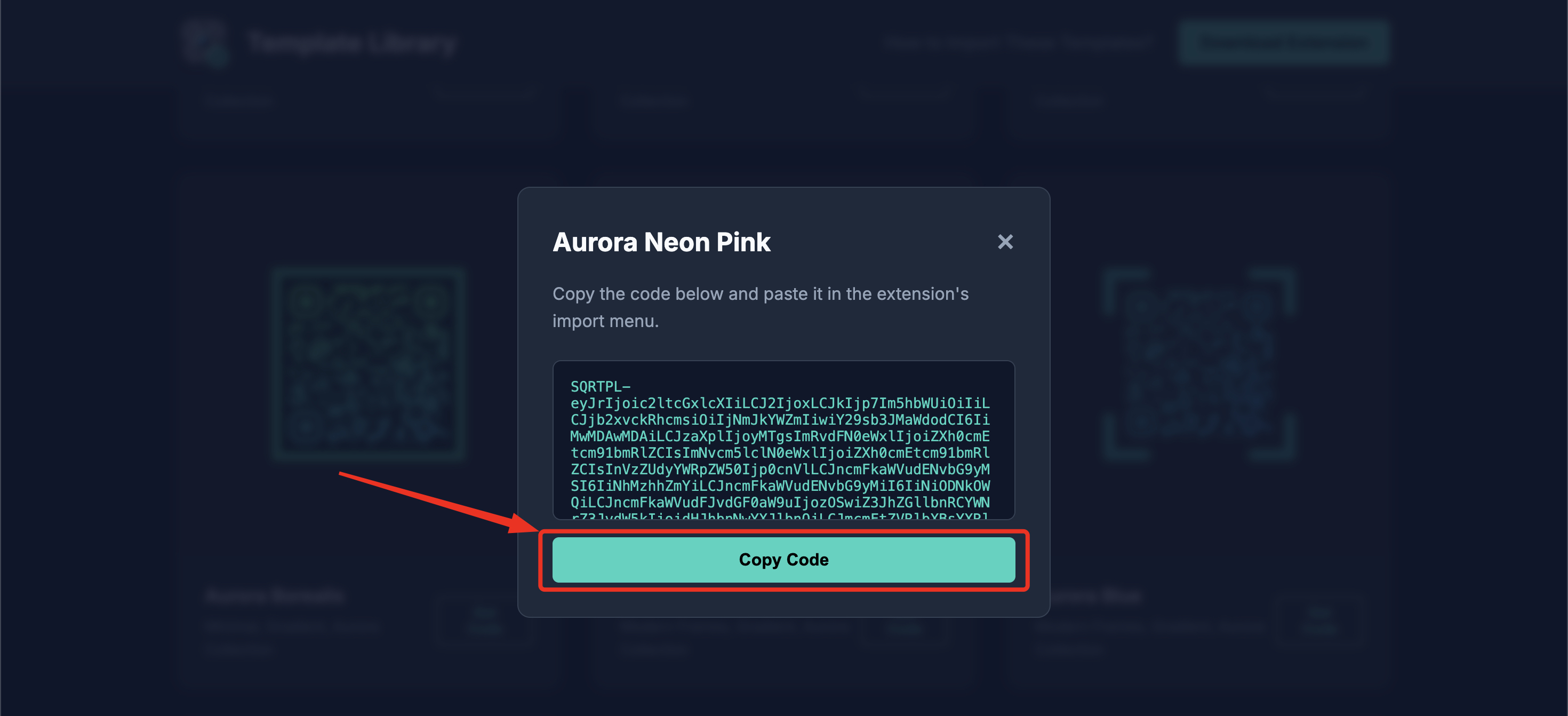
Copy the Template Code
Find a template you love in the library and click the Get Code button. A pop-up will appear allowing you to securely copy the raw template code to your clipboard.
2
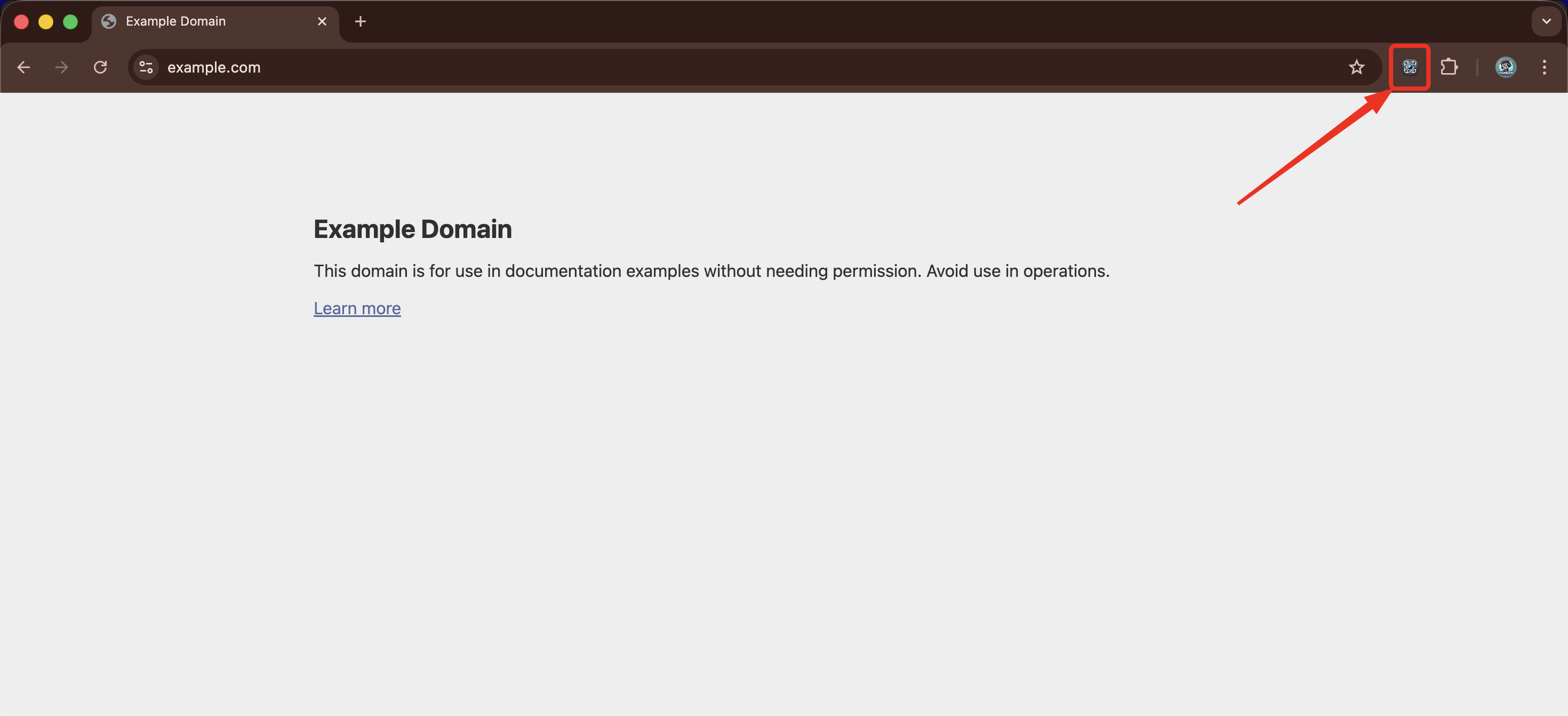
Open the Extension
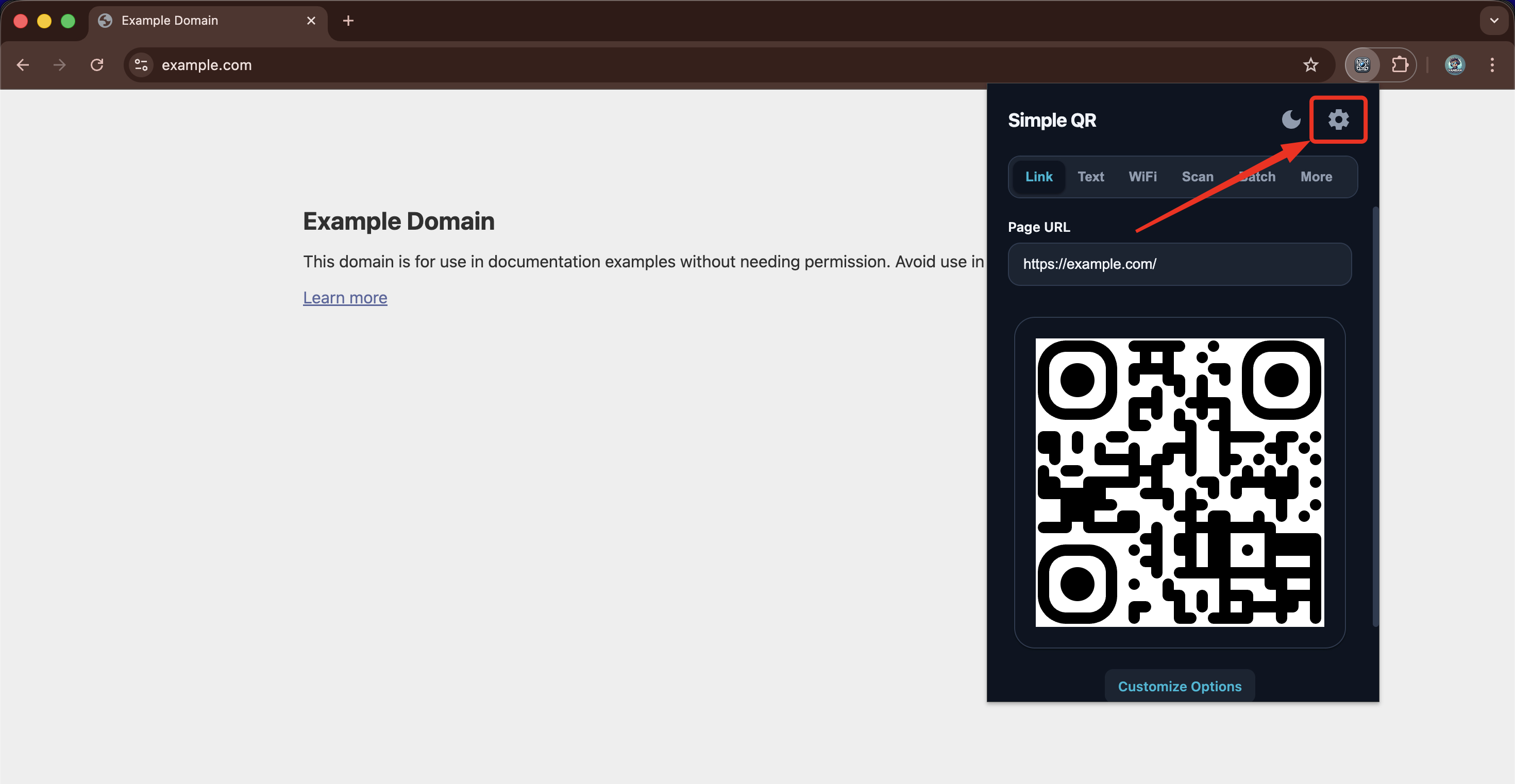
Click the Simple QR Code Generator icon in your browser's toolbar or sidebar to open the main creation menu.
3
Import the Design
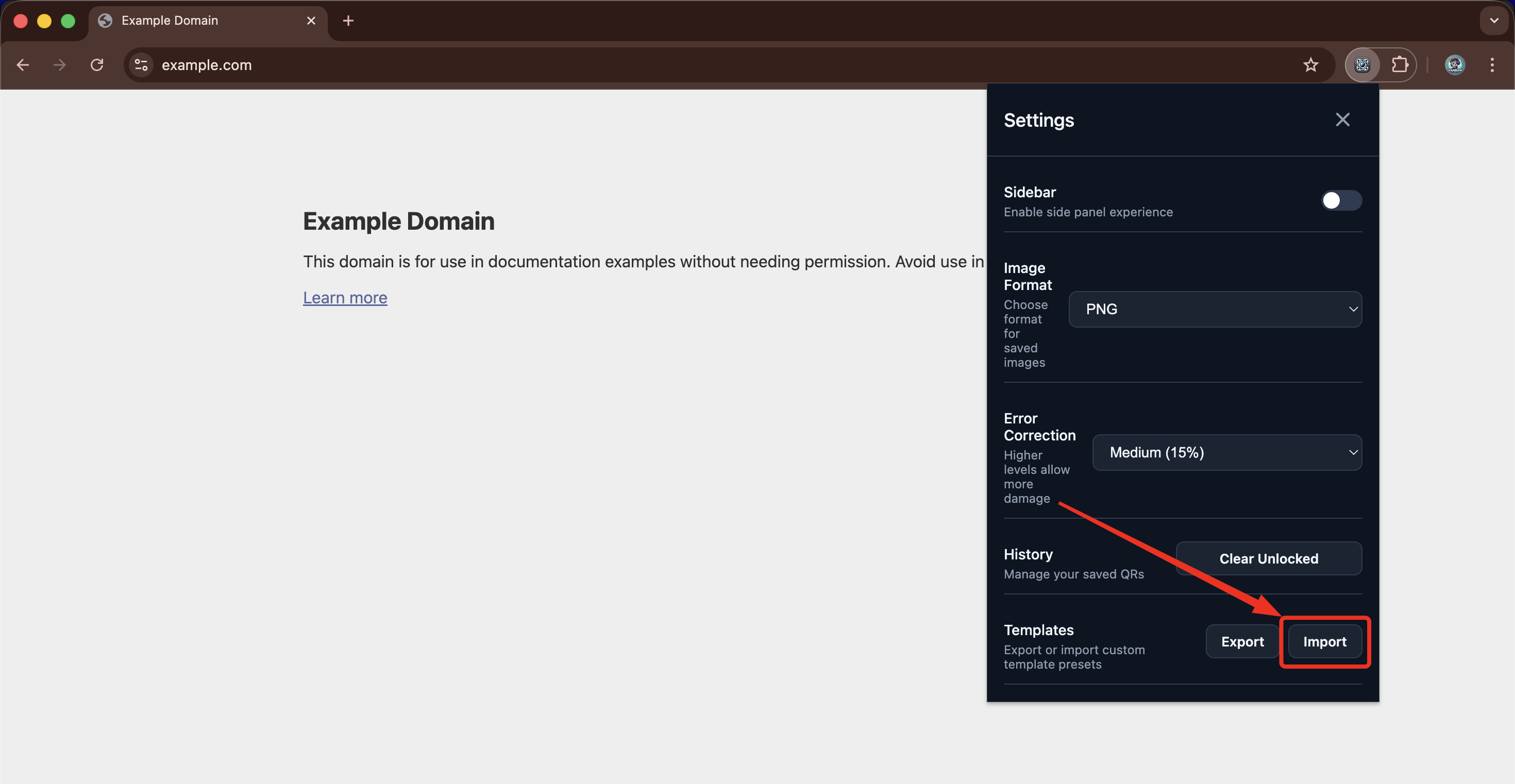
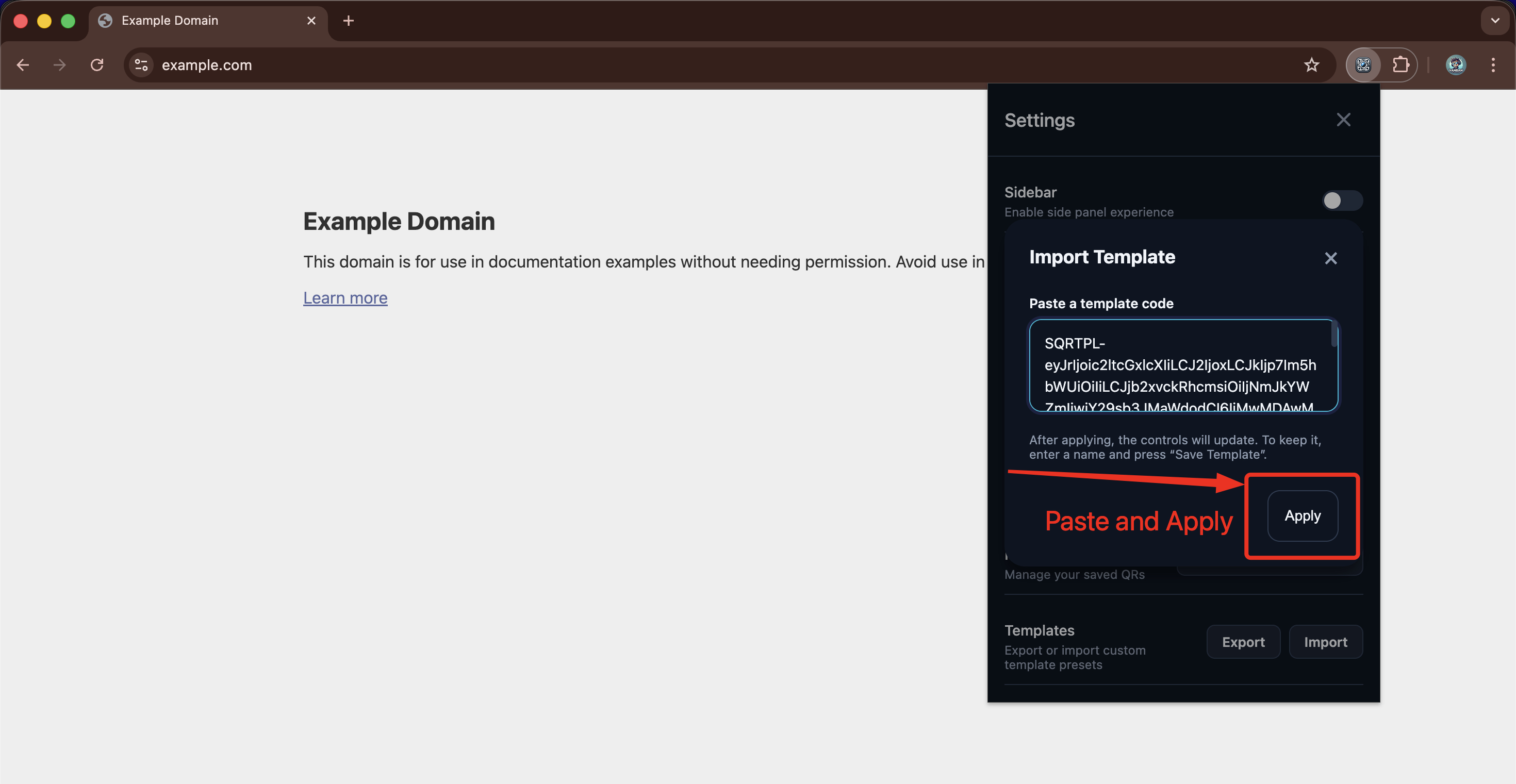
Inside the extension, navigate to the Settings icon. Look for the Import option and click on it. Then, paste your copied code into the given field and click on Apply button.
4
Your Template is now successfully imported!
The template design has now been applied and is ready to use.